The TrueNAS web interface, without the command line
Run your TrueNAS like a real desktop.
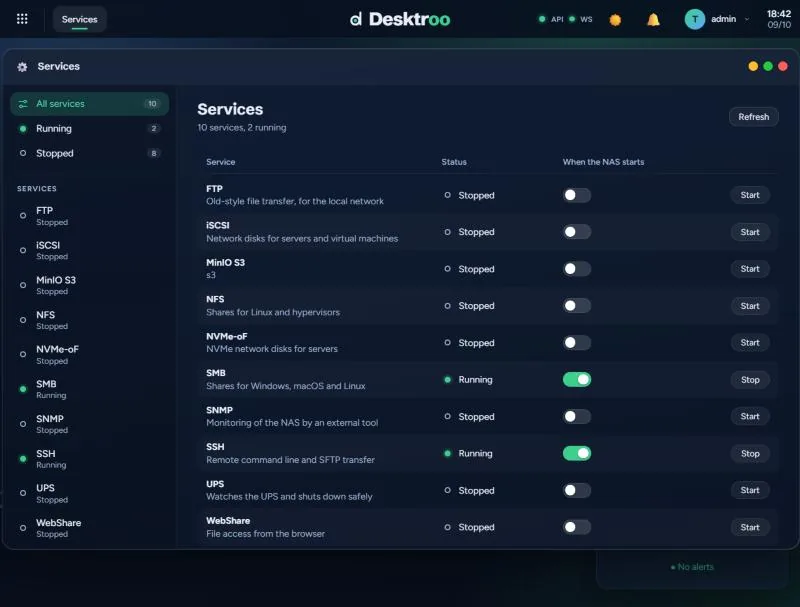
Files, ZFS snapshots, disks, virtual machines and downloads — all in one clear interface, installed on your server with a single command.
Self-hosted — your data never leaves your server.
Optional Authelia 2FA
One-click updates
A single Docker container
English and French interface
Everything in one place
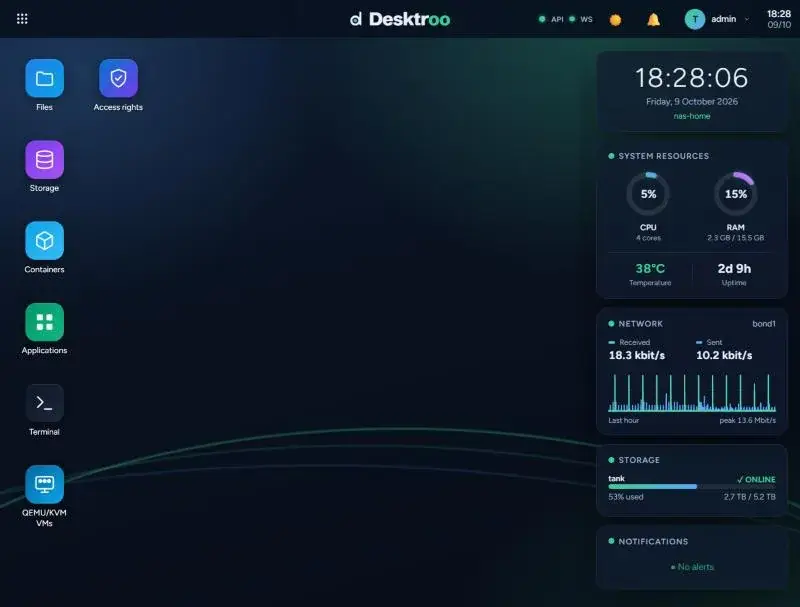
A TrueNAS web interface that is finally pleasant to use.
Desktroo is a complete TrueNAS web interface: it talks straight to your server’s API. Every module replaces a job you used to do on the command line, or across several separate screens.
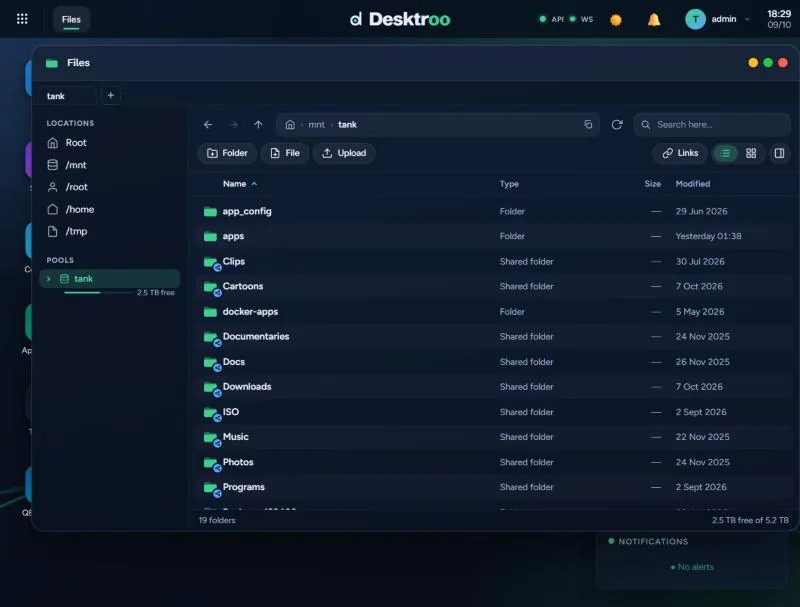
File management
Browse, sort, move and share your datasets. Public share links with expiry dates and passwords.
ZFS snapshots
Create, clone and roll back snapshots, and schedule periodic tasks with retention — without typing a single command.
Boot environments
List, activate and clean up your boot environments. Two clicks to get back to a healthy state after a system update.
Disks, scrub & SMART
Watch the health of your pools and disks, start a scrub and read the SMART tests to see failures coming.
Virtual machines
Start, stop and manage your VMs, with remote console access straight in the browser.
Download manager
Send links to the server, resolve them through your premium accounts, and unpack archives automatically.
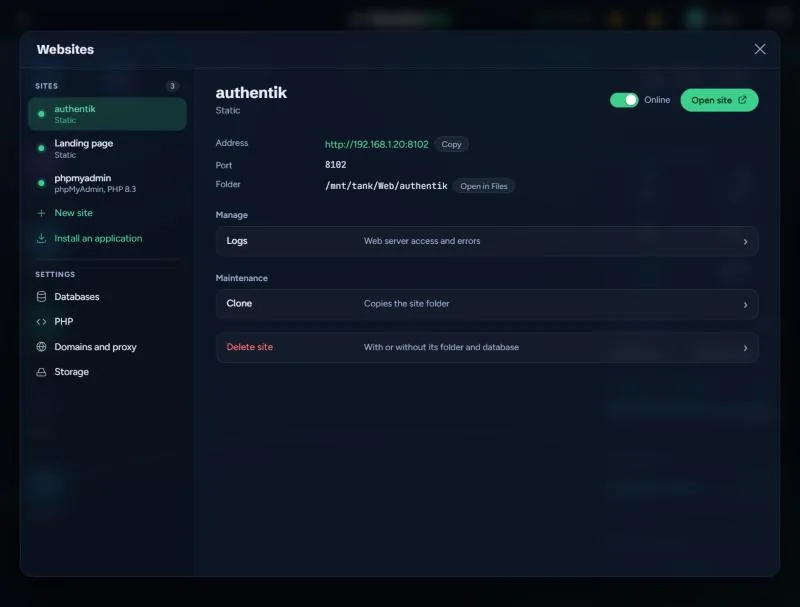
Web server
Host your sites on the NAS itself: create virtual hosts, manage certificates and serve your pages in a few clicks.
PHP per domain
Pick the PHP version for each hosted domain and tune its settings, without touching the server configuration.
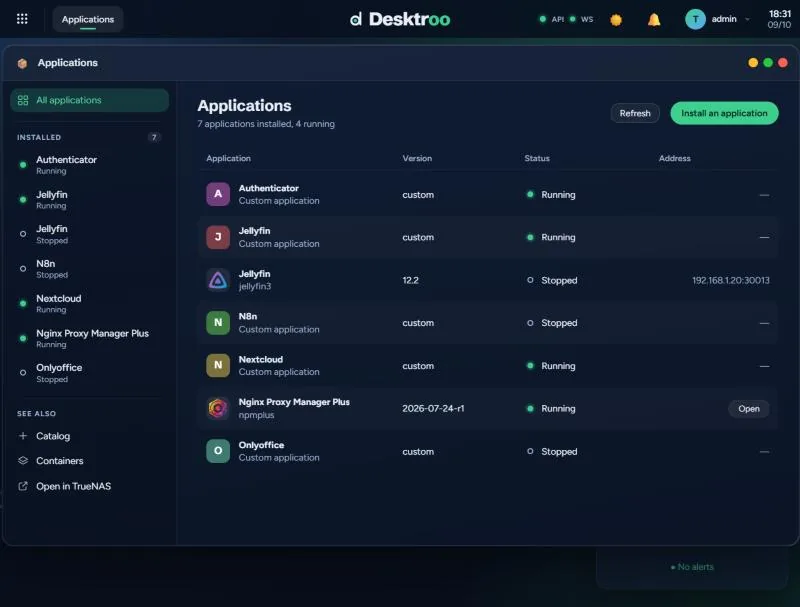
App installation
Deploy ready-made applications from a catalogue, in a few clicks and with no command line.
Users and permissions
Manage users, groups and permissions on your datasets and shares, with clear settings and access you keep control of.
Built-in terminal
A full terminal in the browser, for the times you would rather use the command line — with no separate SSH client.
Scheduled tasks
Schedule and watch your cron jobs from a clear interface, with a history of every run.
And also: security behind a reverse proxy with optional Authelia 2FA, and built-in automatic updates.
Express install
Three steps, five minutes.
No complicated configuration: a wizard handles everything, and five minutes later your TrueNAS web interface is up.
Install it
Run the installer with a single command from your server’s shell.
sudo bash -c 'curl -fsSL https://desktroo.fr/install -o /tmp/s.py && python3 /tmp/s.py'Install Desktroo
Every feature is available, with no card details and no account to create.
Activate your licence
Desktroo works without a key. If you ask for one, paste it into the "Licence" window on the desktop.
Free
Support Desktroo!
The application is free and will stay that way. If it is useful to you, a free contribution helps keep it alive.
Free
Free and with no time limit
- Every feature unlocked
- Updates included, continuously
- Installed on your own server, with no data limit
- No registration, no data collected
Any amount you like, by card or PayPal. No strings attached: Desktroo stays free and complete whether you contribute or not.
Why a contribution?
A free contribution is offered to support the future development of Desktroo. Even though the application is largely developed with the help of AI, the time spent on it remains considerable (several hundred hours: AI helps a great deal and makes things move much faster, but it does not do everything, far from it).
Self-hosted — your application data never passes through us.
Frequently asked
What people ask us most.
What exactly is Desktroo?
It is a TrueNAS web interface: an application you install on your server that gives you a complete desktop to administer it — files, ZFS snapshots, disks, virtual machines, downloads and more. It talks straight to the TrueNAS API.
Is my data sent anywhere?
No. The application is self-hosted: it runs on your server and your files never leave it. If you ask for a free key, your e-mail address is the only information kept.
Is Desktroo really free?
Yes. Every feature, with no time limit and no registration. A free key is available on request: it unlocks nothing, it simply lets me know how many NAS use Desktroo.
How do updates work?
Updates are built in: the application tells you when a new version is out and updates itself in one click, with no reinstall.
Does one licence cover several servers?
A key is tied to one installation, that is to say to one server. For a second server, simply ask for a second key — it is free.
Can I safely expose it to the internet?
Yes. The application sits behind a reverse proxy and supports two-factor authentication through Authelia (optional) to secure remote access.
What hardware does it run on?
On your existing TrueNAS server, in a single Docker container. No extra machine is needed.
Take your server back.
Install Desktroo in a few minutes. Every feature is available, free of charge.help centre walks through every step.